How do I create a new website?
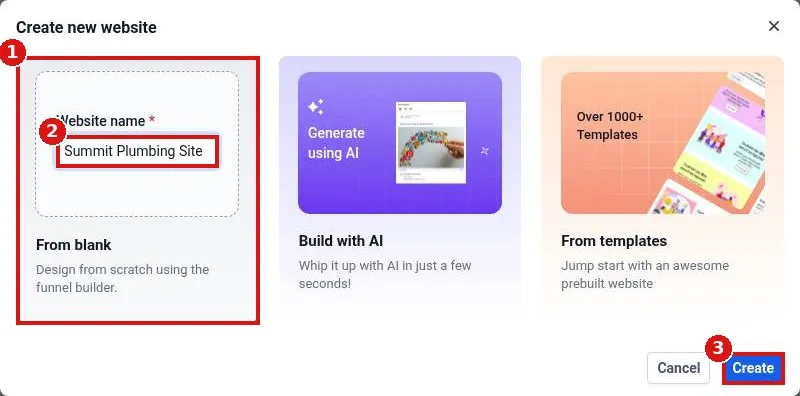
Create a new Reachific website: open Sites, Websites, click New website, pick From blank, Build with AI or From templates, name it and click Create, then add your first page and open it in the builder.
Reachific™ Support
Step by step answers for every part of your Reachific account, with screenshots that show you exactly where to click.
No article on this page matches that yet. Try another word, or submit a ticket.

Create a new Reachific website: open Sites, Websites, click New website, pick From blank, Build with AI or From templates, name it and click Create, then add your first page and open it in the builder.

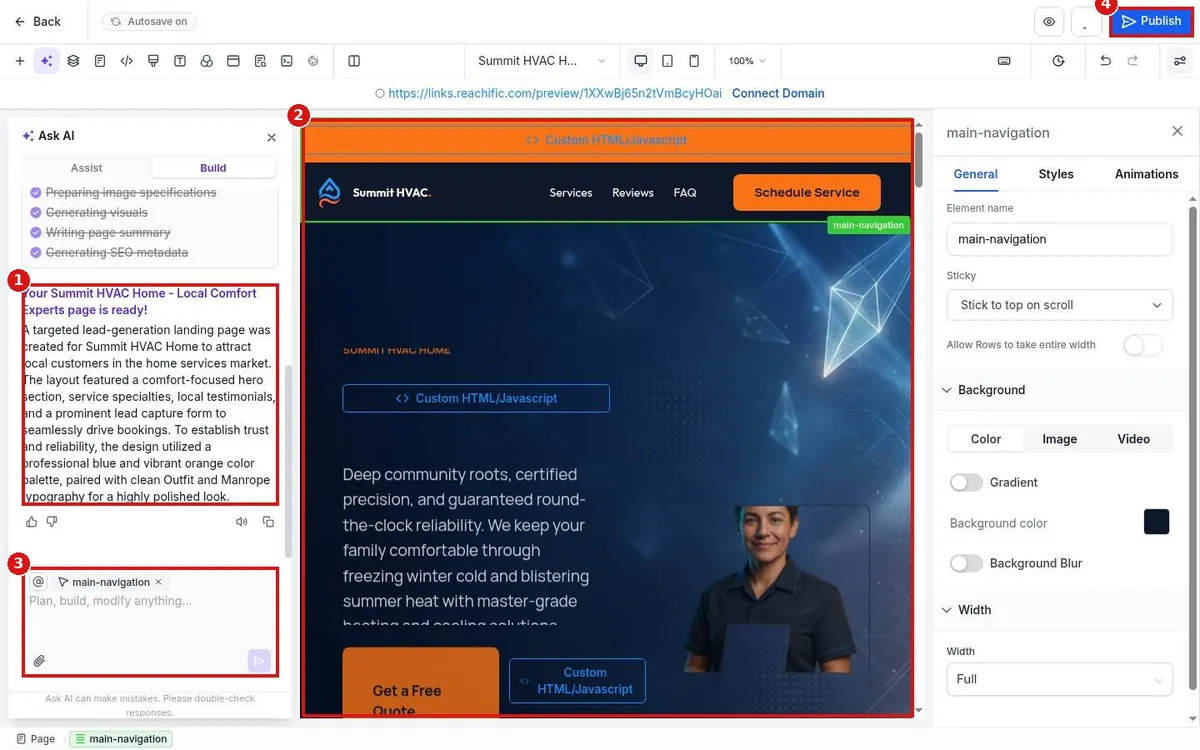
Build a Reachific website with AI: open Sites, Websites, click Build with AI, enter the page name, niche, goal and audience, click Generate, then review the page AI builds and publish when it looks right.

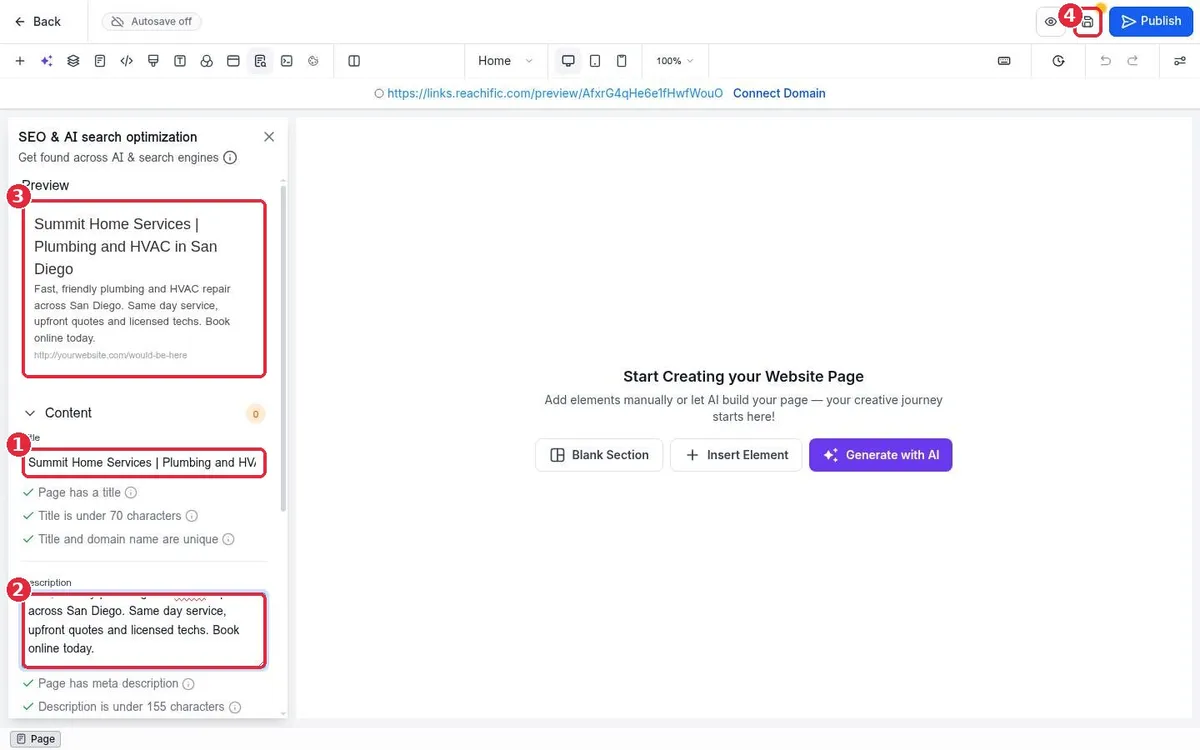
Set the SEO title, meta description and social share image for any Reachific website page: open the page in the builder, click SEO and AI search optimization, fill in Content and Images, save and publish.

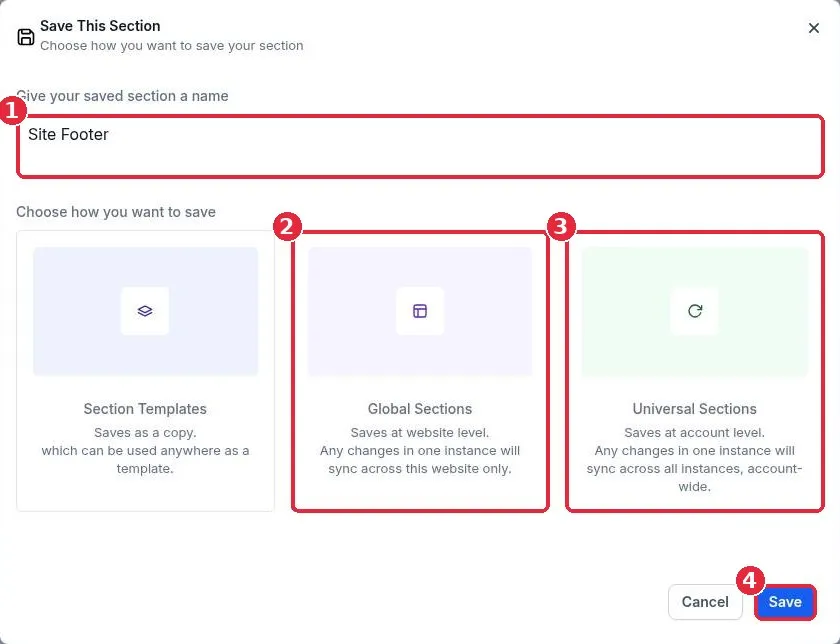
Edit your header and footer once and update every page in Reachific: save the section as a Global or Universal section, add it to your other pages from Saved Assets, then edit it in one place.
We are here to help
Send our support team a ticket and we will walk you through it, or pick a support plan for hands on help.